CapPilote, the cockpit
The part you see. A browser, your screens, your content, your schedule. Nothing to install on your computer, and the same interface on a phone.
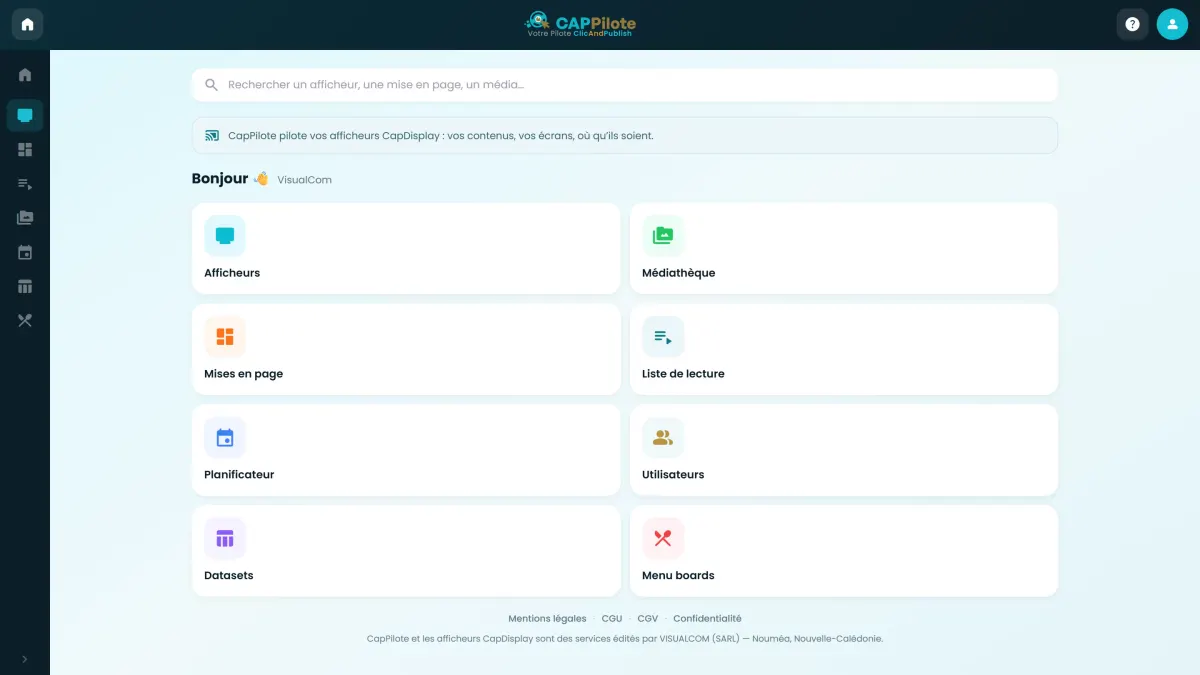
The same people, the same product, and two names that finally say what they do. CapPilote runs your screens from any browser, CapDisplay brings them to life. more than 600 screens live today.
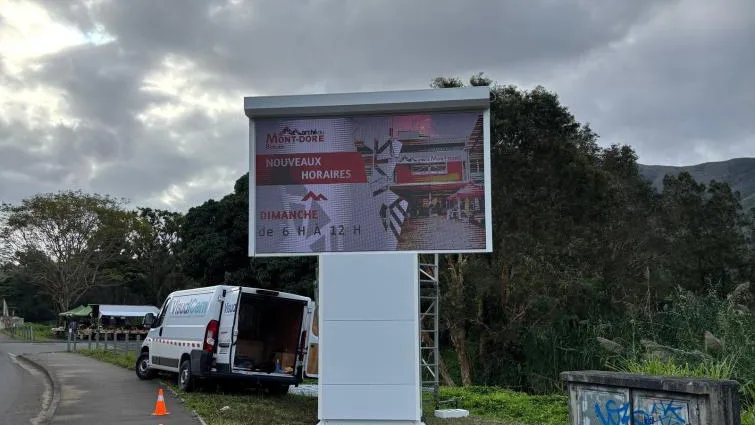
VisualCom has been designing, installing and running digital signage for over ten years. ClicAndPublish was the name of its platform: one word covering both the software and the player sitting behind the screen, to the point where customers no longer knew which one they were talking about on the phone. The name has not gone away: it lent its initials to the two products that came out of it.



Since 2026, ClicAndPublish comes in two products: CapPilote and CapDisplay. CapPilote is the management software, used from a browser; CapDisplay is the player installed in the screen. CAP stands for ClicAndPublish. Both are published by VisualCom, in Nouméa, New Caledonia. The name ClicAndPublish remains valid and refers to the same platform, the same team and the same accounts. Declaration current as of .
The part you see. A browser, your screens, your content, your schedule. Nothing to install on your computer, and the same interface on a phone.
What runs inside the screen, or in the small box behind it. It keeps your content locally: a network outage does not black out your shop window.
ClicAndPublish → CAP
The acronym did not come out of a branding agency: it was already there, inside the name. CAP stands for ClicAndPublish. What you bought has not changed hands, changed team, or changed address.
CapPilote does three things no other digital signage solution offers: watch a screen as live video, distribute files from screen to screen over the local network, and take remote control without third-party software. Anyone can sell digital signage; what follows comes out of ten years spent fixing real screens, on real internet lines, 17,000 km from anyone's head office.
Open a screen's page and watch it in real time, like a video. Not a snapshot every ten seconds: a smooth stream showing exactly what a customer is looking at right now.
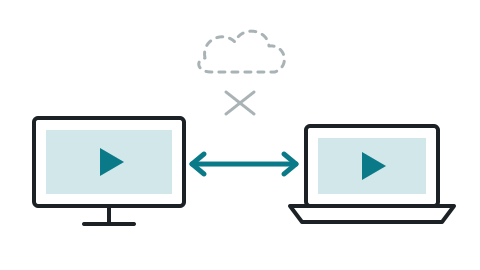
The connection is established directly between the screen and your browser. Nothing goes through our servers, so there is no relay to delay the picture, and no video of your premises stored on our side.
On a site with several screens, the first one downloads the file from our servers; the others fetch it from their neighbours over the local network. Your internet line pays for the video once, not once per screen.
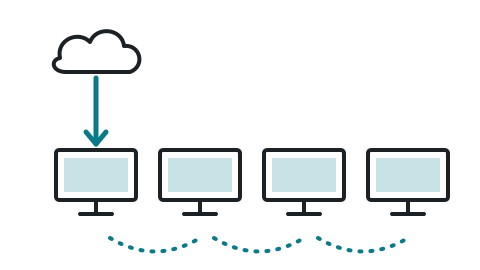
Measured on our own fleet: a 480 MB video sent to 4 screens on the same site. 450 MB travelled from one screen to the next without touching the internet line, and all four screens were up to date in 5 min 16 s.
Take control of an Android screen or a Windows machine straight from the browser: see the screen, click inside it, type on it. No TeamViewer, no third-party software to install or renew.
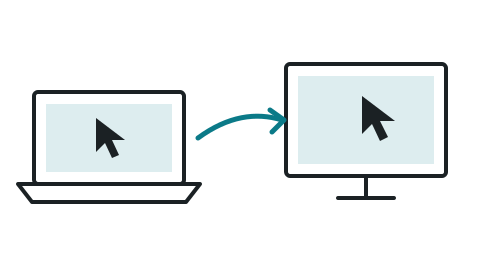
The CapControl option, reserved for VIP accounts, at €10 per month per seat. It requires a screen provisioned by us: that provisioning is what allows gestures to be simulated.
CapDisplay runs today on more than 600 screens, across more than 130 sites, in New Caledonia and French Polynesia. This map is live: it refreshes every three hours, straight from our servers.
No customer name appears on this map, and positions are deliberately rounded to about 300 m: it shows a neighbourhood, never anyone's address. Each dot carries the number of screens at that site.
See how, starting from a restaurant menu in PNG or JPG, CapPilote makes its prices and availability dynamic in a few steps. Once that is done, whenever a price changes or an item runs out, you do not have to redo your menu: you simply change the data directly in CapPilote's "Menu boards".
And faced with an empty layout, blank page syndrome spares no one: just write what you want to see, for instance "the lunch menu on a dark background, three columns, my current prices, logo top right", and the layout builds itself. You keep control of every element: it is a starting point, never a cage.
A printed poster says one thing, and only that thing, until somebody walks over and takes it down. A screen says what is needed, when it is needed, across twelve sites at once. In-store studies measure it, and so do our own installations: here are the first, then the second.
Each study is quoted with its source. We only keep the ones we traced back to their origin: figures that travel from one website to the next with no study behind them are not repeated here. Then run the sum that applies to you: what an A2 poster reprinted every week actually costs (printing, shipping, and the person who puts it up at each of your locations), against €3.50 per month per screen.
A digital menu board is a screen that replaces a restaurant's printed menu. A printed menu goes stale the day a supplier raises a price, the day a dish runs out, or simply at noon when the evening menu has no business being on the wall. A digital menu board keeps up.
You edit the price in your table. 61 seconds later it is on the screen, timed on our own installations, with nothing to republish and no layout to touch.
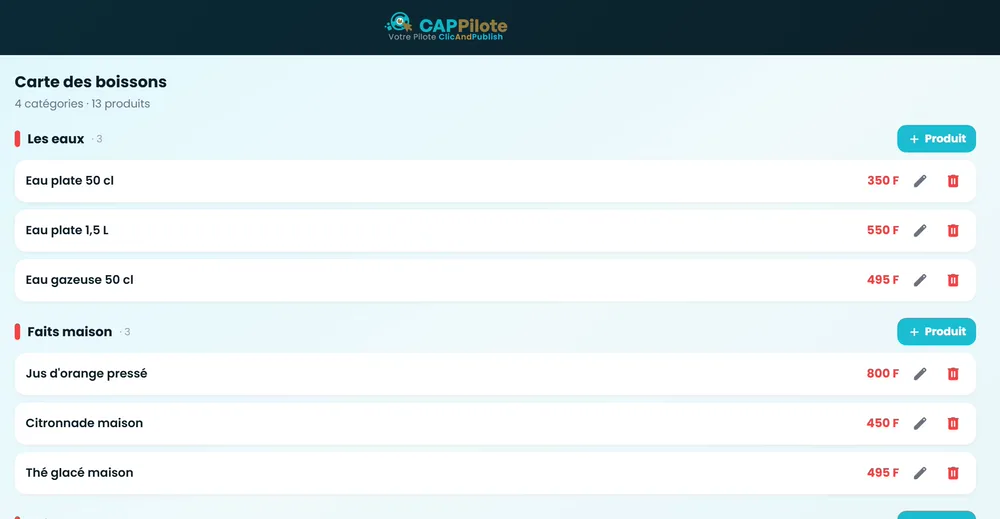
Untick "available" and the item is struck through with a diagonal ribbon. Customers stop ordering what you no longer have, and nobody had to reprint anything.
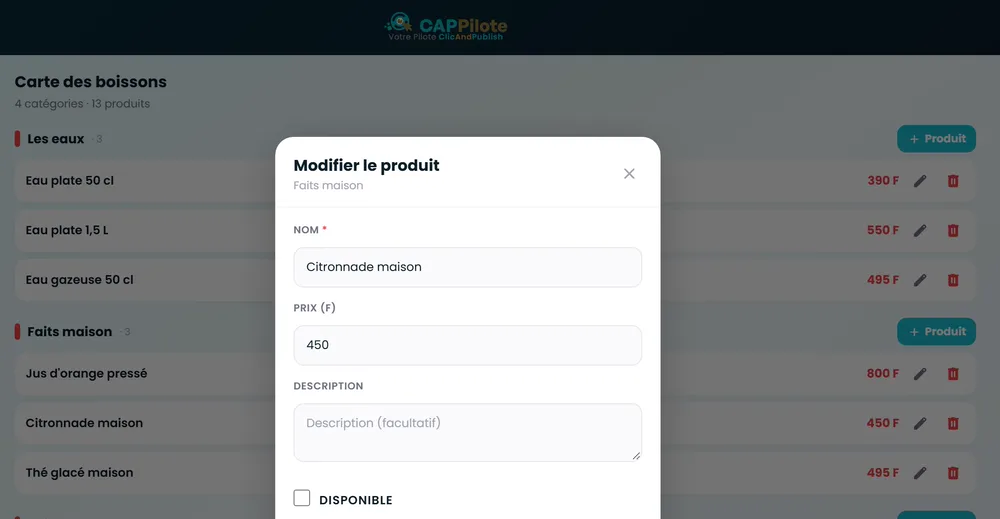
Two menus, two time slots, and the switch happens without you. Breakfast disappears at 10:30 even when you are in the middle of a rush.
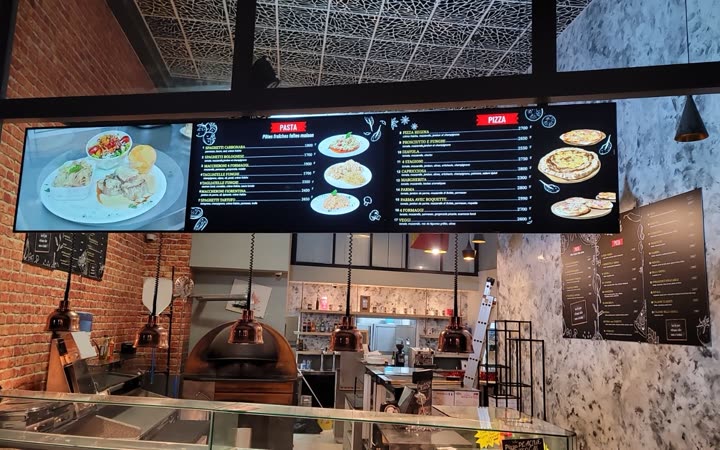
The 61 seconds from typing to screen are measured on our own installations, and it is the figure customers most often check themselves, watch in hand, on the day we commission the system.
CapPilote shows a PDF catalogue on your screens as it is, page after page, and turns it into a public link your customers open on their phone. You already have that catalogue: the one you print, the one you email. Dropped into a layout, it advances on its own, or is flipped through with a finger on a touch screen. The link, with its QR code, opens with no account and no app; you choose how long it stays valid (24 hours, 7 days, 30 days or no expiry) and you can revoke it at any time.
The demo replays real CapPilote screenshots. The catalogue being flipped through is our own brochure (in French). PDF playback tested on Android screens.
You do not need to buy a "digital signage display". You need a screen (the one in the lobby, the one in the waiting room, the one you already own) and something to give it a voice. There are two ways in, and the second one costs nothing at all.
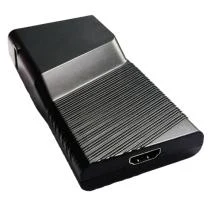
€199 incl. tax, per unit
An HDMI stick roughly the size of a pack of chewing gum. It plugs in behind the screen and draws its power from the screen's own USB port: no extra wall socket to find, no power brick, not one more cable hanging down. The screen comes on, CapDisplay boots, your content appears.
€0 in extra hardware
Many professional displays, and a good share of recent televisions, already run Android. When that is the case, CapDisplay installs straight into the screen. No box, no HDMI cable, no second power supply: one mains lead for the whole thing, and nothing left to hide behind the display.
Screens already proven with CapDisplay:
Your model is not on the list? Write to us and we will check with you.
Either way the software is the same and the price is the same: €42 per screen per year, free forever for one user and a first screen. See the full price list.
Six things that come up every single day with our customers. There are others, but these are the ones people ask for again.
Content is stored inside the screen. An internet outage does not leave you with a black window: it leaves you with yesterday's playlist, which is not the same thing at all.
A screen in Nouméa and a screen in Papeete are not on the same time. Your time slots are read in each screen's local time, not yours.
A film of up to 2 GB can be pushed straight to the screen without going through your media library or saturating your line.
You maintain a list of products and prices; the screen lays it out on its own and follows every change you make.
Neighbouring screens on the same network can play the same thing at the same time, with no visible drift between them.
Head office prepares, the stores publish. Each account only sees the screens and folders that concern it.
CapDisplay runs in restaurants, shopping centres, airports and banks across New Caledonia. Here are a few of those installations, written up in detail on the VisualCom site (in French).
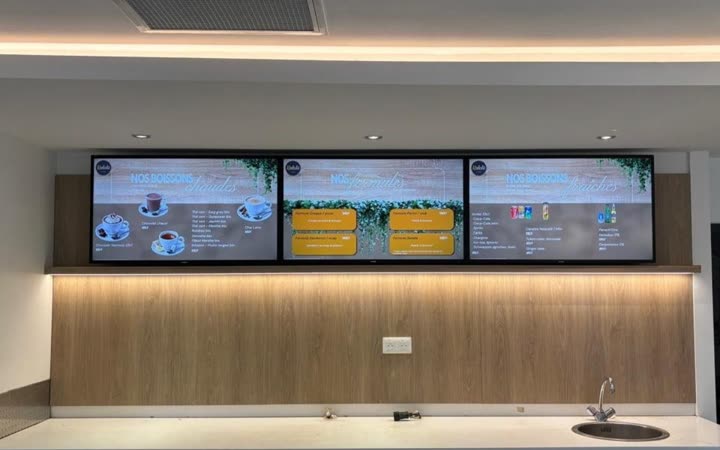
Three professional 43-inch screens for the counter's menu board, in the public hall of the international airport.
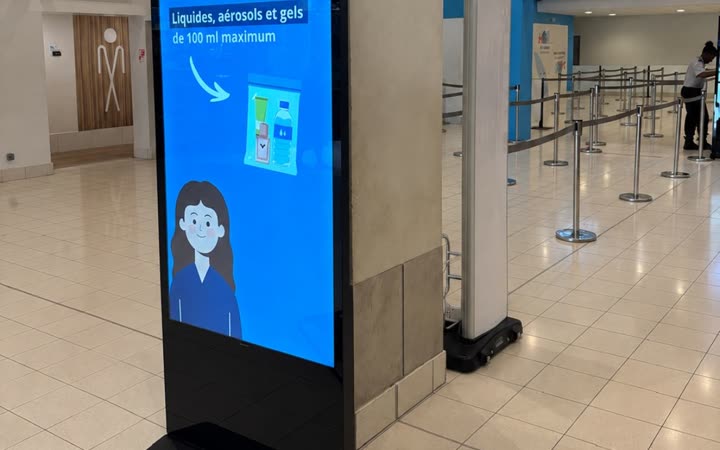
Two 65-inch totems to modernise the chamber of commerce's communication with passengers.
Professional screens in the dining room and at the counter, driven from a workspace dedicated to the brand.
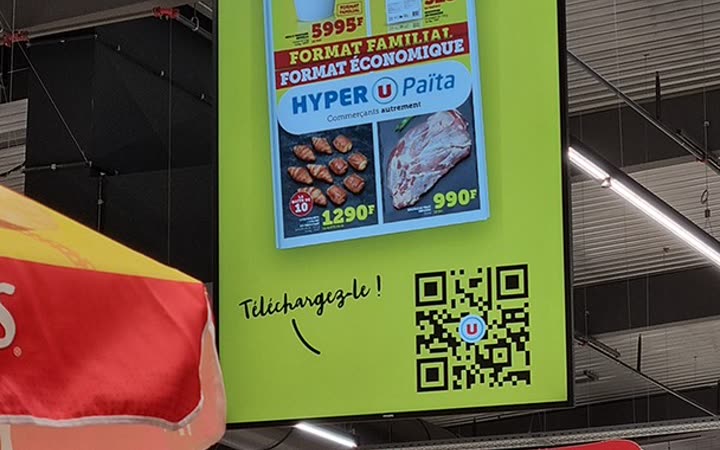
Advertising screens suspended over the aisles, above the shelves.
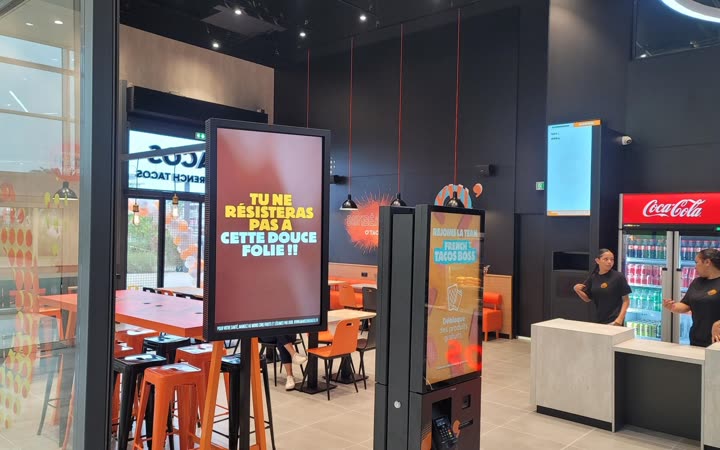
Seven monitors in portrait mode for the menu of the mall's new restaurant.
Three 55-inch screens at the entrance, giving a mouth-watering preview of what the chefs prepare on site.
More installations on visualcom.nc.
CapPilote costs €3.50 per screen per month, about half what Yodeck or OptiSigns charge. Here is the monthly cost per screen, brought to the same unit, across the main solutions on the market. Prices are the ones each vendor publishes.
Price is not the whole story. The full table also compares what each one can actually do:
offline playback, remote control, local video, synchronised screens.
See the detailed comparison
One account, one screen, and you judge for yourself. Free forever for one user; fifteen days to try everything else. No card is asked for.